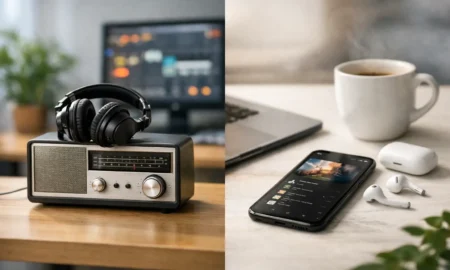
Can You Listen to Radio Online? Yes, Easily
The kitchen is busy, the inbox is filling up, or the motorway feels longer than it should. Sometimes you do not want to spend twenty minutes choosing a playlist. You just want songs you know, a good mood and something that keeps playing. So, can you listen to radio online? Absolutely – and it is one of the simplest ways to bring great music into your day.
Online radio lets you tune into stations through the internet rather than relying only on a traditional FM or DAB signal. That means your favourite soundtrack can follow you from your laptop at work to your phone on the train, your smart speaker at home and, in many newer vehicles, the car too.
Can you listen to radio online without an app?
Yes. In many cases, all you need is a web browser and an internet connection. Open a radio station’s website, press play on its live player and the music starts. There is no aerial to adjust, no frequency to remember and, often, no download required.
This is ideal if you are using a work computer, borrowing a device or simply prefer to keep your phone free of extra apps. It is also a quick answer for anyone who wants a reliable musical lift without signing up, building a library or deciding what to play next.
Apps can still be useful, particularly if you listen regularly on a mobile or tablet. They may make it easier to find stations, save favourites and pick up where you left off. But an app is a convenience, not a requirement. The important part is the stream: audio delivered over Wi-Fi or mobile data straight to your device.
What you need to start listening
Getting started is refreshingly straightforward. You need a device with speakers or headphones, plus an internet connection. Your home Wi-Fi is usually the best option for long listening sessions, as it is stable and does not use your mobile data allowance.
A phone, tablet or computer will do the job nicely. Smart speakers are brilliant for hands-free listening while cooking, cleaning or getting ready for the day. Many modern smart TVs and internet radios can play online stations too. If your car supports smartphone connectivity or has built-in internet radio, you can take your listening on the road.
Sound quality depends on your connection, the station’s stream and your speakers. A steady Wi-Fi connection generally gives you clear, uninterrupted audio. Mobile data can work well too, especially on 4G or 5G, but coverage can change while travelling. If you are heading through rural areas or have a limited data plan, it is worth keeping an eye on usage.
Why online radio suits everyday listening
The biggest appeal is ease. Traditional radio still has its place, especially for local news, live sport and getting updates during a journey. Online radio adds choice and flexibility. You can listen to stations from around the UK and beyond, even when their terrestrial signal does not reach where you live.
For music lovers, it also removes the small frustrations that can interrupt the mood. There is no hunting for a usable frequency. You can move between devices without changing the kind of music you enjoy. And when you find a station with the right feel, it can become your dependable backdrop for the whole day.
That matters more than it sounds. The right song at the right moment can make a Tuesday morning feel lighter, give a home office a bit of energy or turn a Friday-night catch-up into a proper singalong. A familiar mix of 70s classics, 80s anthems, 90s favourites, 2000s throwbacks and current hits gives everyone in the room something to enjoy.
Stations such as Halo FM are built around that simple pleasure: more music, less chatter and a steady run of feel-good songs that fit real life. Press play and let the music handle the atmosphere.
How to listen on different devices
On your phone or tablet
Open your preferred browser or radio app, find the station and tap play. Headphones are handy on a commute, while Bluetooth lets you send the sound to a speaker at home. If you are listening over mobile data, lowering unnecessary video use in the background can help your connection stay smooth.
Most phones also allow you to keep listening while using other apps. That makes online radio a great companion for walking the dog, answering messages or sorting the weekly shop. Just remember that streaming audio uses data when you are not on Wi-Fi.
On a computer at work or home
A browser player is often the quickest route. Keep the volume low enough for the room, and you have a soundtrack that fills the quiet without demanding your full attention. This works particularly well for repetitive tasks, admin days and home working, where a good run of songs can make the hours move more pleasantly.
If you share an office, be considerate. Headphones may be the better choice, or agree on a station that keeps the energy up without taking over the conversation.
On a smart speaker
Smart speakers are made for radio moments. Ask the device to play an online station by name, or use its companion app to choose a stream. The exact voice command can vary by speaker and service, so a station may need to be enabled or selected first.
Once it is set up, it is wonderfully simple. Ask for music while your hands are covered in flour, call for your usual station as you make breakfast or turn the volume up when friends arrive. A smart speaker turns listening into part of the home, rather than another task on a screen.
In the car
Internet radio in the car can be excellent, but it depends on your set-up. Some vehicles offer built-in streaming services, while others use Apple CarPlay, Android Auto or Bluetooth from your phone. If you use your mobile, make sure it is connected before setting off and avoid touching the screen while driving.
Online listening gives you more station choice than an FM signal alone, but it is not always perfect on every route. Mobile coverage can drop, particularly in remote areas, tunnels and some stretches of motorway. For regular long-distance driving, having traditional DAB or FM available as a backup is sensible.
Choosing a station you will actually keep on
More choice does not always mean a better experience. If you spend longer skipping stations than listening, the fun disappears. Start with what you want from the moment: familiar songs for concentration, upbeat hits for a house clean, laid-back classics for dinner, or something bright for a family drive.
A music-led station is often the easiest all-day choice because it keeps the flow moving. Heavy chat can be entertaining when you are in the mood for it, but it may not suit every work session or social setting. Equally, a narrowly themed station can be perfect for an hour yet feel repetitive by lunchtime. The sweet spot for many listeners is a broad, recognisable mix with enough variety to keep each song feeling like a welcome surprise.
It is worth checking whether a station offers listen-again programmes as well as a live stream. Live radio brings the shared feeling of hearing the same songs as other listeners at the same time. Listen-again gives you a second chance if you missed a feature or want to return to a particular show later.
A few practical listening tips
If the stream pauses or sounds patchy, first check your internet connection. Moving closer to your Wi-Fi router, switching from mobile data to Wi-Fi or briefly restarting the player often solves the problem. Closing video-heavy tabs can help on a computer too.
For the best sound, use the speakers that match the occasion. Phone speakers are fine for a quick listen, but a Bluetooth speaker makes a real difference in the kitchen or garden. Headphones are better for travel, and a decent pair can bring out details in songs you have heard for years.
Think about volume as well as quality. Background music should lift the room, not make conversation hard. Save the full-volume chorus moments for when nobody minds joining in.
Online radio is not about adding another complicated service to your routine. It is about having a familiar, upbeat soundtrack ready when life needs a little more rhythm. Pick a station that feels like good company, press play and let the next great song find you.