A Simple Guide to Online Radio Streaming
The morning commute, the quiet stretch of an afternoon at work, the kitchen clean-up after dinner – music can lift all of it. This guide to online radio streaming explains how to get that feel-good soundtrack playing quickly, without filling your phone with downloads or spending ages choosing every next song.
Online radio is built for people who want to press play and get on with their day. A good station brings familiar songs, fresh favourites and a steady mood, whether you are travelling, working from home, running a shop or catching up with friends. Less searching, less chatter, more music.
What online radio streaming actually means
Online radio streaming is simply radio delivered over the internet. Rather than relying on a traditional aerial signal, your phone, computer, smart speaker or connected car receives a continuous audio stream through Wi-Fi or mobile data.
That makes listening wonderfully flexible. You can tune in from the sofa, the office, a hotel room or the garden, as long as you have a reliable connection. There is no need to wait for a download, manage a huge music library or decide what to play every few minutes.
It is not quite the same as an on-demand music service. On-demand platforms put you in control of each track. Online radio gives you a professionally programmed flow of music, with the welcome surprise of a song you had not thought about for years. For many listeners, that is the point: great songs arrive just when they are needed.
How to start streaming in minutes
For most people, getting started is as simple as opening a station website in a browser and pressing the play button. There is usually no account to create and no app required. This is ideal when you want music now, not another password to remember.
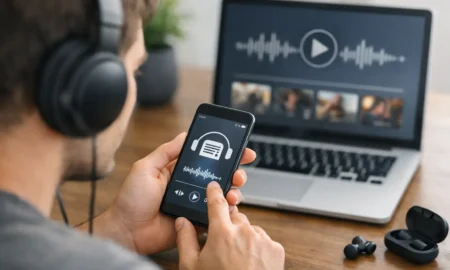
On a mobile phone or tablet, connect to Wi-Fi where possible, open the station player and keep the page active while you listen. Many stations also offer a dedicated app, which can be handy if you listen every day or want quick access from your home screen.
At a computer, online radio works well as a background soundtrack for emails, admin or household jobs. Keep the player in a browser tab, set a comfortable volume, and let the music carry the day along. If you are in a shared office, headphones are the considerate choice. If you run a customer-facing business, check the music licensing requirements for playing radio publicly before turning it up.
Smart speakers make it even easier. Once your preferred station is available through your speaker’s radio service or voice controls, a simple request can bring the music into the kitchen, bedroom or living room. The exact wording varies by device, so it is worth trying the station name followed by radio or live stream.
Connected cars are another popular option. If your vehicle supports Apple CarPlay, Android Auto or an internet radio app, you can bring your station along for the journey. Set it up before you pull away, keep your phone safely out of reach and let the playlist handle the rest.
A guide to online radio streaming on every device
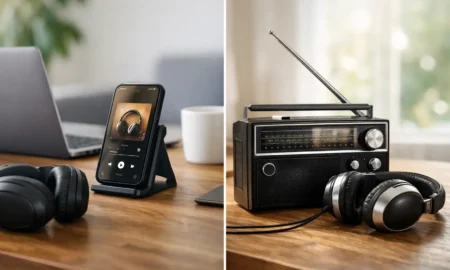
The best device is the one already close to hand. Your phone offers convenience, especially for walks, commuting and waiting around. A laptop or desktop is excellent for workdays. Smart speakers fill a room with sound, while a connected car can make a familiar route feel far less routine.
Sound quality depends on both the stream and your equipment. Even a modest Bluetooth speaker can give a fuller sound than a phone speaker, particularly for a weekend barbecue or cooking session. For private listening, comfortable headphones can make an old favourite feel brand new.
There is a trade-off, though. Bluetooth can occasionally introduce a slight delay, which does not matter for music but can be noticeable if you are watching a live video alongside the audio. Smart speakers are convenient, but they need a stable home Wi-Fi connection. And a car stream may drop briefly in areas with patchy mobile coverage. Traditional FM can still have an edge in those rare dead zones, but internet radio usually wins for choice and reach.
Wi-Fi, mobile data and buffering
A steady internet connection is the secret to uninterrupted listening. At home, Wi-Fi is generally the simplest and most reliable option. If the stream pauses or buffers, move closer to the router, reduce the number of devices using the network, or restart the player before assuming the station is at fault.
Mobile data is useful when you are out and about, but it is worth knowing that streaming uses data over time. The exact amount depends on the audio quality and your network, but regular daily listening can add up on a smaller allowance. Choose Wi-Fi when it is available and check your mobile plan if radio is part of every commute.
If your listening suddenly sounds interrupted, do not panic. Close any unused apps that may be using data, check that your signal is strong and give the stream a few seconds to reconnect. A short pause is often a connection issue rather than a problem with the music itself.
Choosing a station you will keep coming back to
The choice is huge, which is brilliant until it becomes another decision at the start of a busy day. Instead of scrolling through endless genres, think about the mood you want most often.
A music-first station suits listeners who want a dependable mix without long presenter links breaking the flow. A station centred on a single decade may be perfect for a themed evening, while a broader mix can work better for a household, office or shop where tastes span generations.
Look for a clear promise in the programming. Do you want fresh chart music, classic soul, indie, party tunes, local information or familiar hits from the 70s through to today? The right answer depends on the moment. The important thing is that the station makes choosing easy.
Halo FM is designed around that simple pleasure: non-stop hits across the decades, with more music and less chatter. It is the kind of sound that can sit comfortably behind a work task, brighten a rainy drive or get the room moving when friends arrive.
Make radio part of your routine
The best online radio habits are the ones that do not need much thought. Put your preferred station in your browser favourites, save the app to your phone’s home screen or ask your smart speaker to play it at breakfast. Small shortcuts mean the music is there before the kettle has boiled.
Match the volume to the moment. Low and steady works well for reading, focused work and conversation. Turn it up for cleaning, cooking or a Friday afternoon lift. If you live with others, use headphones for late-night listening and keep the good vibes to yourself without keeping anyone awake.
Many stations also offer listen-again shows or playlists. These are useful when you missed a favourite feature or want to revisit a particular programme. Live radio is brilliant for company and surprise, while listen-again gives you a little more control when your schedule is less predictable.
Keep the music flowing
Online radio works best when it feels effortless. Choose a station with a playlist that suits your life, use Wi-Fi when you can, and set up the device you naturally reach for first. Then press play, turn up the volume and let a run of great songs do what it does best: make ordinary moments feel a bit brighter.