How to Listen to Online Radio Instantly Today
The morning commute is quieter than it needs to be. The kitchen feels a little flat while the kettle boils. Work gets easier when a great song lands at just the right moment. Knowing how to listen to online radio instantly means you can put the perfect soundtrack on in seconds, wherever you are, without filling your device with downloads or spending ages choosing every track.
Online radio is made for people who want music to simply get on with it. Pick a station, press play and let the hits roll – from songs that take you straight back to the dancefloor to the newer favourites you already know the words to.
How to listen to online radio instantly on any device
The quickest route is usually the station’s website. Open it on your mobile phone, tablet, laptop or desktop computer, find the play button and tap or click. Music should begin straight away through your device speakers, headphones or any connected audio equipment.
There is no complicated setup required. You do not need to create a massive playlist, wait for tracks to download or keep skipping songs that do not suit the mood. A good online station gives you a ready-made flow of music, ideal when you want the familiar lift of brilliant songs without the effort.
For a music-first experience, choose a station whose playlist fits your day. Halo FM, for example, keeps the focus on non-stop hits from the 1970s through to today, with less chatter between the songs. That makes it an easy choice when you want to turn up the volume and carry on with whatever you are doing.
Your internet connection is the only essential. Home broadband and Wi-Fi are ideal, while a reliable mobile data connection works well when you are out and about. If you are using mobile data regularly, bear in mind that streaming can use part of your allowance. Listening on Wi-Fi where possible is the simplest way to keep data use down.
Listen on your phone in seconds
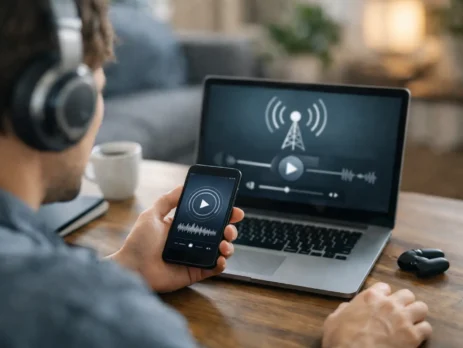
Your mobile phone is likely to be the easiest way to bring online radio with you. Open a web browser, visit your chosen station and press play. Once it is running, you can plug in headphones, connect wirelessly to a speaker or listen through your car system where supported.
The best part is how naturally it fits into everyday routines. Start the stream while getting ready in the morning, take it on a walk, keep it beside you while cooking, or play it during a catch-up with friends. You are not tied to a physical radio in one room.
A few small habits make mobile listening more enjoyable. Keep your mobile phone charged if you are streaming for long periods, particularly when travelling. Headphones are useful on public transport, but a portable speaker can bring far more atmosphere to a garden barbecue or weekend get-together. If sound drops out, check your signal first, then switch between Wi-Fi and mobile data if you can.
Keep the music playing while you get on with life
Many mobile phones allow audio to continue while you browse other apps, check a message or lock the screen. The exact behaviour depends on the device and the way the station is being played, but it is worth trying. This is what makes online radio such a useful companion rather than something that demands your attention.
Unlike choosing an album, you do not have to decide what comes next. The station does the work, while you enjoy the surprise of a favourite song appearing at exactly the right time.
Make your computer your all-day music hub
A computer is perfect for the home office, shop counter, studio or kitchen table. Open the station in a browser tab, press play and keep the music running while you work. It takes moments, and it can make repetitive tasks feel lighter.
For the clearest sound, use decent desktop speakers or connect your computer to a Bluetooth speaker. Keep the volume at a level that lifts the room without making calls, conversations or concentration difficult. There is a balance here: lively music can boost the mood, but a quieter setting often works better for detailed tasks or shared spaces.
Online radio is especially handy in workplaces because the music keeps changing without anyone having to take charge of the playlist. One person may love 80s pop, another may prefer 90s singalongs, and someone else wants today’s feel-good hits. A broad station gives everyone something to enjoy across the day.
Use a smart speaker for hands-free listening
Smart speakers can make listening feel even more effortless. Depending on the speaker and its available radio services, you may be able to ask it to play a station by name or start radio through a compatible service. Some stations can also be played by sending audio from your mobile phone to the speaker.
The exact command and setup vary between devices, so it is worth checking the speaker’s radio options once. After that, it can become part of your routine: music while making breakfast, music while sorting the house, music while friends arrive.
If voice commands do not find the station you want, do not let that spoil the moment. Playing directly from the station website on your mobile phone or computer and connecting to a speaker is often just as quick. The important thing is the music, not the method.
Bring online radio into the car
For many people, the drive is where radio belongs. Online radio gives you a wider choice than traditional reception alone, particularly if you travel beyond your usual local signal area. The simplest approach is to play it on your mobile phone and connect through Bluetooth, a USB connection or your car’s audio system, where available.
Set everything up before you start driving. Choose the station, check the volume and place your mobile phone securely out of your hand. If your car has voice control, use it. Safe listening matters more than changing track or adjusting a setting.
There is one trade-off to remember: mobile signal can vary on certain roads, especially in rural areas, and data streaming may pause if coverage disappears. Traditional FM or DAB can still be useful as a back-up on longer journeys. At home, at work and in built-up areas, online radio is usually wonderfully straightforward.
Choose the right station for the moment
Instant access is only half the story. The station you choose shapes the whole feel of the room, journey or task. If you want company without constant interruptions, look for a music-led station with a wide, recognisable playlist and limited presenter talk. Familiar songs are powerful – one chorus can turn a grey afternoon into a better one.
Think about the atmosphere you want rather than the exact genre. Need momentum for a busy shift? Go for upbeat hits. Making dinner? Choose something warm and easy-going. Hosting friends? A mix of decades gives everyone a reason to say, “I love this one.” Online radio works best when it supports the moment instead of making you manage it.
It is also worth giving a station a little time. Every playlist has its own character, and a few songs will tell you whether it suits you. If it does, make it your reliable default. You can always explore something different another day.
Simple fixes when online radio will not play
Most issues have a quick solution. First, check that your device volume is up and not connected to headphones or a speaker in another room. Then test your internet connection by opening another page or app. If the stream is buffering, moving closer to your Wi-Fi router or switching connection may help.
Refreshing the browser page is often enough. On a mobile phone, closing and reopening the browser can clear a temporary glitch. If you are casting audio to a speaker, make sure both devices are on the same Wi-Fi network. And if you are at work, school or using public Wi-Fi, a network setting may limit streaming services.
Do not overcomplicate it. Online radio is meant to be easy, and most listening problems come down to volume, connection or the device output setting.
There is something genuinely cheerful about having great music ready when you are. Press play before the next commute, cuppa or catch-up, and let a run of brilliant songs do what it does best: make an ordinary moment feel a bit more like your own.