How to Listen to Radio Hands-Free Anywhere
That moment when the chorus arrives just as your hands are covered in washing-up foam, steering through traffic or carrying a stack of folders is exactly when hands-free radio earns its place. Knowing how to listen to radio hands-free means your favourite songs can keep rolling without you stopping what you are doing – and without turning a simple bit of entertainment into a faff.
For most people, the best setup is already close by: a smart speaker, your car’s Bluetooth system, a phone with voice control or a set of headphones with a button on the side. The right choice depends less on fancy tech and more on where you listen, how reliable your internet connection is and whether you need to stay aware of the world around you.
How to Listen to Radio Hands-Free at Home
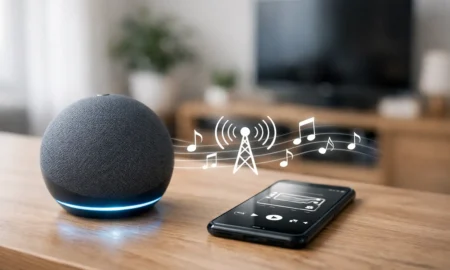
At home, a smart speaker is usually the easiest route to radio without reaching for a screen. Once it is connected to your Wi-Fi and linked to your preferred radio service or station, a simple voice request can start the music. It is brilliant for the breakfast rush, cooking tea, cleaning, getting ready for a night out or keeping the house feeling cheerful while you work from home.
Place the speaker where it can be heard but not drowned out by appliances. The kitchen is an obvious choice, although bathrooms and utility rooms can be trickier because of moisture. If your home has patchy Wi-Fi, position the speaker closer to your router or consider a mesh Wi-Fi setup before blaming the radio stream.
Make your voice commands easy to remember
Choose one or two phrases you will actually use. For example, you might ask your speaker to play Halo FM, turn the volume down, pause the audio or resume it later. The fewer different commands everyone in the household needs to remember, the more naturally hands-free listening becomes part of the day.
There is one small trade-off: voice assistants do not always hear station names perfectly, especially with background noise or a regional accent. Saving a station as a favourite in the associated app, where that option is available, can make playback more reliable. You can then use a shorter voice command next time.
Use Your Phone Without Holding It
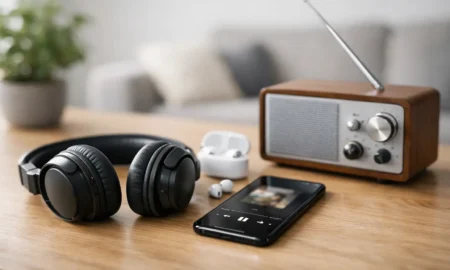
Your phone is often the most flexible way to listen, particularly if you move between rooms, travel by train or want music in the garden. Both major mobile operating systems offer voice assistants that can open compatible audio apps, play or pause sound and adjust volume. Headphones and earbuds with built-in controls can also do much of the work without taking your phone out of a pocket.
For a genuinely hands-free experience, set up voice activation before you need it. Check that your preferred radio app is signed in, that mobile data is allowed and that any battery-saving setting is not stopping audio in the background. These little checks are worth doing at home rather than when you are halfway through a commute.
If you are using wired headphones, keep the cable clear of zips, bag straps and coat collars so the inline button stays accessible. With wireless earbuds, learn the controls for one press, two presses and press-and-hold. They vary by model, so there is no universal rule. A quick test will tell you whether you can skip, pause or call up a voice assistant without looking at the phone.
Be mindful of battery life. Streaming radio over mobile data can use a fair amount of power over a long day, especially if your signal keeps dropping and reconnecting. Downloading is not always an option for live radio, so a charger, power bank or lower-volume playback may be the practical answer.
Hands-Free Radio in the Car
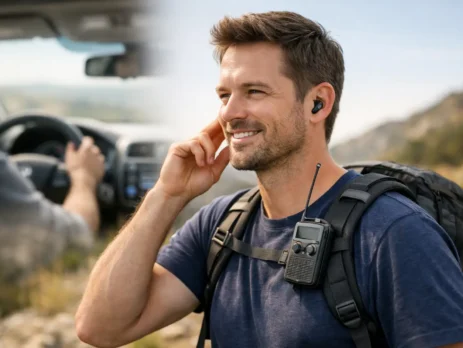
Music can make even a slow queue feel a little less grey, but driving is also where hands-free listening needs the most care. The safest option is your car’s built-in infotainment system, using Bluetooth, Android Auto or Apple CarPlay if your vehicle supports it. Connect your phone before setting off, choose your station or app while parked and use steering-wheel controls or voice commands once you are moving.
If your car has an older stereo, a Bluetooth adaptor may let you route your phone’s audio through the speakers. Some plug into the auxiliary input, while others use a low-power FM transmission. The sound quality and connection stability will depend on the adaptor and your vehicle, so it is worth trying it before a longer journey.
Do not treat hands-free as permission to fiddle with menus at the wheel. A system that needs several taps to find the right stream is not really hands-free. Set up favourites in advance, keep notifications quiet and let the music do its job. If a call or alert interrupts the stream, wait until you can safely pull over before sorting anything complicated.
Check your data signal before a long drive
Online radio needs a mobile signal, and coverage can dip on rural roads, in valleys and through long stretches of motorway works. If uninterrupted listening matters, have a backup ready. Your car radio’s FM or DAB service may be the better choice in weak-signal areas, while a strong 4G or 5G connection is ideal for internet stations and more choice.
The key is not to overcomplicate it. Pick the source that works well for the journey you are actually taking, rather than chasing perfect sound at every mile.
Radio at Work: Keep the Music Useful
Hands-free radio can make repetitive tasks feel lighter, whether you are working at a desk, running a shop floor, organising stock or tackling the admin at home. A smart speaker or phone dock keeps the soundtrack going while your hands stay on the job.
In a shared workplace, though, the best setup is one everyone can live with. Keep the volume at a level where customers and colleagues can still speak comfortably. If you are playing music in a business or public space, check what music licensing your premises needs. Personal listening and broadcasting music to a workplace are not always treated the same way.
For individual focus, one earbud can seem tempting, but it is not suitable for every role. If you need to hear customers, colleagues, alarms, traffic or machinery, use a speaker at a sensible volume or skip headphones altogether. Convenience should never come before awareness.
Fix the Problems That Break the Flow
When hands-free radio stops feeling easy, the culprit is normally one of three things: connection, permissions or power. A smart speaker that will not play may have lost Wi-Fi. A phone assistant that cannot find your station may need microphone access or a clearer default audio service. Earbuds that ignore commands may simply need charging.
Start with the simple reset: check the internet connection, charge the device, close and reopen the app, then restart the speaker or phone if needed. If voice commands are unreliable, reduce background noise and speak the station name at a normal pace. Shouting usually makes recognition worse, not better.
It also helps to give every device a clear role. Perhaps the kitchen speaker is for all-day hits, the car system is for commuting and your earbuds are for walks or the gym. That way, you are not constantly reconnecting, changing settings and losing the song you wanted to hear.
Hands-free radio works best when it quietly fits around your life. Set it up once, keep the controls simple and let the non-stop hits carry the rest of the day – from the first kettle boil to the journey home.